
The shot
My Pixel 10 Pro takes a decent photo through my telescope, but certainly forces me to mess with it a lot and I often mess up the shot anyway. Pointed at the moon and got a few pretty good shots, but there’s often this reflection glow, cropping, and other random issues that need some post processing. Not terrible, but tedious to fix by hand.
This is my “raw” example photo:
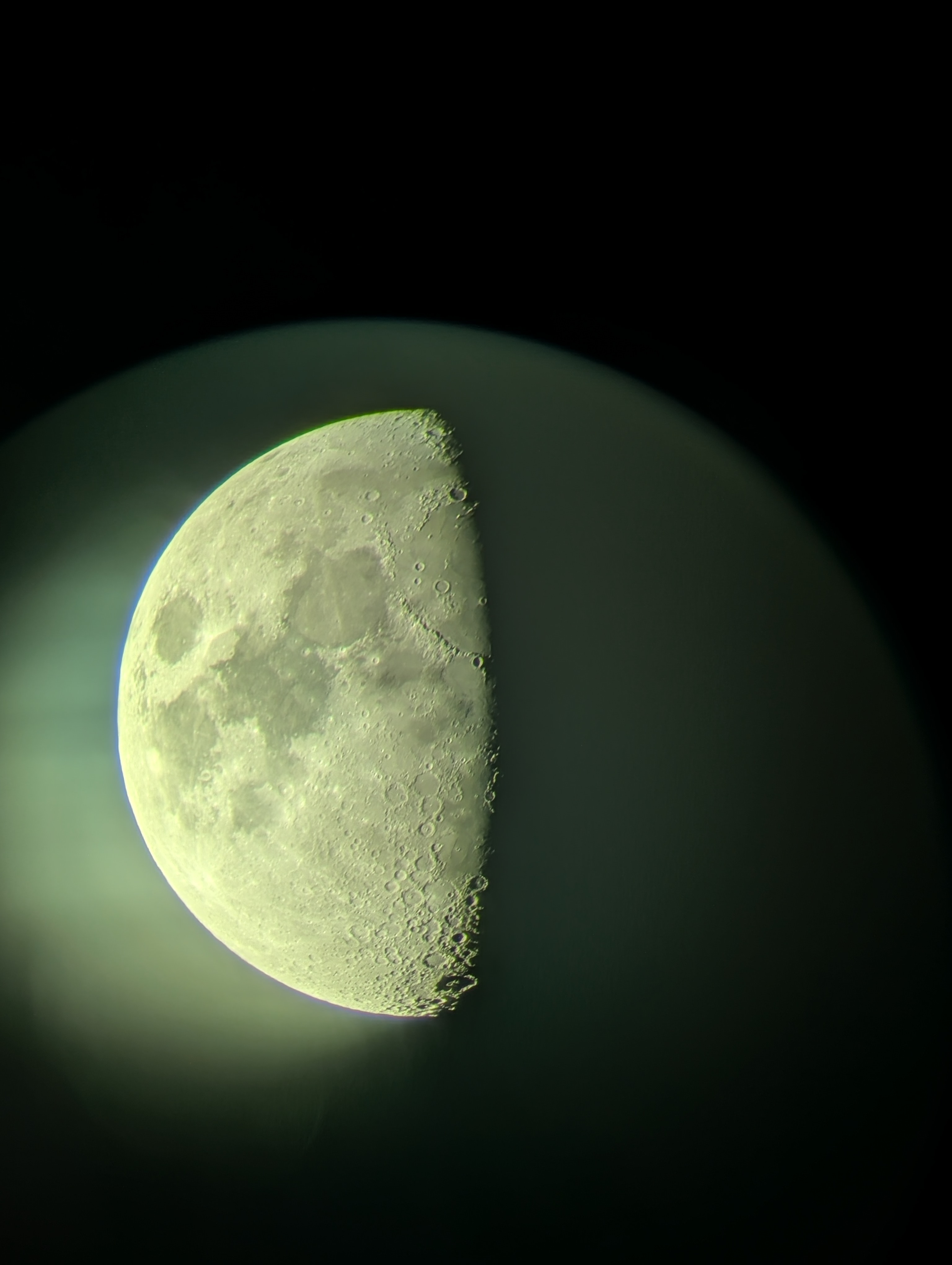
So I dropped the JPEG into opencode and asked DeepSeek to process it with Siril.
What the model did
First it went looking for the image and the tool. siril wasn’t on $PATH, so it grabbed the flatpak build — at which point I mentioned Siril was already installed as an AppImage in ~/Applications. It backed out the flatpak (app and the runtimes it had pulled in) and drove the AppImage instead by symlinking it under a siril-cli name:
ln -s ~/Applications/Siril-1.4.4-x86_64_*.AppImage siril-cli
./siril-cli -v   # siril 1.4.4
It then read the image with numpy/PIL to find the Moon’s bounding box and per-channel stats instead of guessing crop coordinates. That gave the crop (Moon plus a margin, minus most of the glow) and confirmed the cast — the bright region averaged R=196, G=207, B=152, i.e. green.
From there it drove Siril headless with a script:
./siril-cli -d ~/moon_process -s moon_process.ssf
saving an intermediate image after each attempt and reading it back to check the result. That feedback loop is what makes this workable: the model can see what its own commands produced and correct course.
The pipeline
requires 1.4.4
load moon.jpg
crop 360 1240 1340 1960   # frame the Moon, drop most of the lens glow
rmgreen 1                 # kill the green cast
ccm 1 0 0 0 1 0 0 0 1.22  # white-balance (boost blue to match R/G)
unsharp 1.0 0.7           # sharpen surface detail
satu 0.9                  # trim residual colour noise
savetif /home/james/moon_process/moon_processed
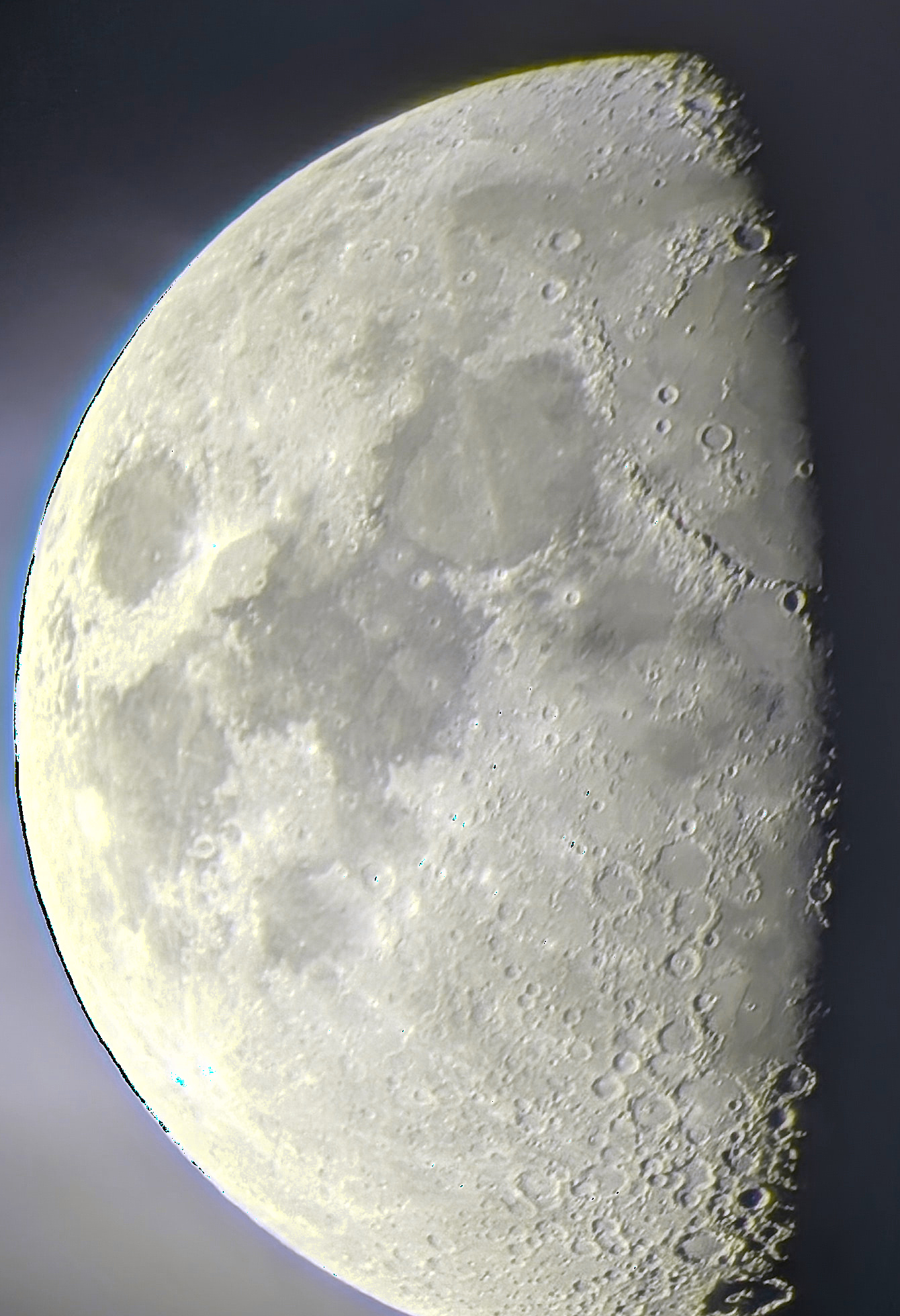
rmgreen handles the sickly green tint. The Moon is still genuinely warm after that (R≈G > B), so a diagonal ccm nudges blue up to neutralise it. unsharp with a small sigma brings out crater detail without ringing, and satu 0.9 softens the leftover colour speckle along the limb.
After all that, this is what I got:
Siril 1.4.4 quirks it ran into
subskyover-subtracts on this frame. The reflection glow overlaps the Moon, so the background model eats into the disc and leaves a bright pedestal instead of a black background. The model dropped it and kept a soft, neutral halo — which honestly looks more natural anyway.savejpgwrites a black image aftermtf. Themtfcommand promotes the working image to 16-bit, after whichsavejpgproduced pure black (the TIFF was fine). It switched tosavetifand converted with ImageMagick.- Command names moved. The old
deconvolutioncommand is gone in 1.4.4; deconvolution is nowrl/sb/wienerwith a separatemakepsf. It found this by grepping usage strings straight out of the binary rather than trusting the docs.
Was it worth it
For a one-off like this, well, no. The model handled the tedious parts — locating the file, discovering the tool, reconstructing the command set from the binary, measuring the image, and iterating — and I mostly watched and corrected one wrong assumption (the AppImage). It also left alone the two .fit files already sitting in ~/Pictures (modulus.fit, phase.fit, Fourier outputs from an earlier session), which is the right call.
The main limitation is the source: it’s an 8-bit JPEG, so anything aggressive (heavy mtf, asinh, deconvolution) just amplifies compression artifacts. The model figured that out quickly and settled on gentle moves. A stack of RAW frames would be a different and better story. However, it’s still worse than what I’d get from just a handful of minutes messing with it in something like google photos. Probably much better than what I’d achieve with siril myself, it’s a bit tricky and the filters always give me similar trouble.